
Grades. Attendance. Schedules. Simplified.
Strong home-to-school communication is one of the most important ingredients in your child’s academic success. Our PowerSchool Parent Portal makes staying involved easier than ever by giving you 24/7 access to your student’s grades, attendance, class schedules, and teacher updates in one secure place. Whether you are checking daily assignments or setting up automatic email alerts, everything you need is right at your fingertips—on your computer or through the PowerSchool mobile app. Log in today to stay informed, celebrate milestones, and partner with us in supporting your student all year long.

Click to Login
Creating a New Parent Account in PowerSchool
A single sign-on method is available for accessing the PowerSchool Parent Portal, allowing parents to view grades for multiple students under one account. Parents will need to create a single account and link all their students to it.
Steps to Create a New Parent Account
1. Access the NHA PowerSchool Parent Portal by clicking on the "PowerSchool Sign In"button above.
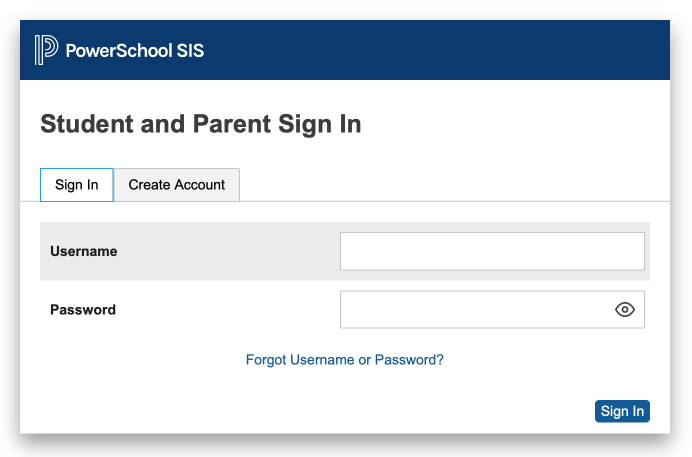
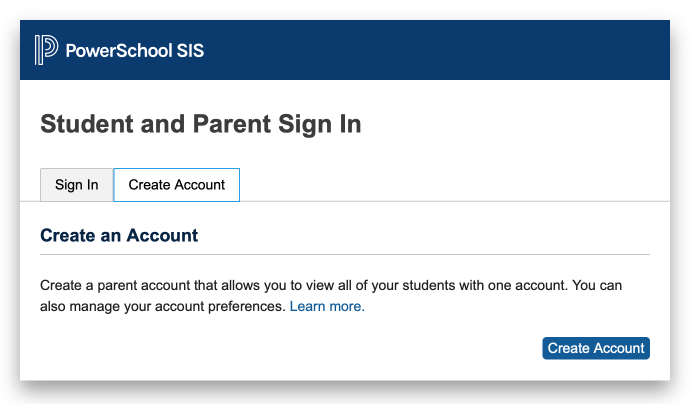
2. Click the Create Account tab then click the Create Account button.
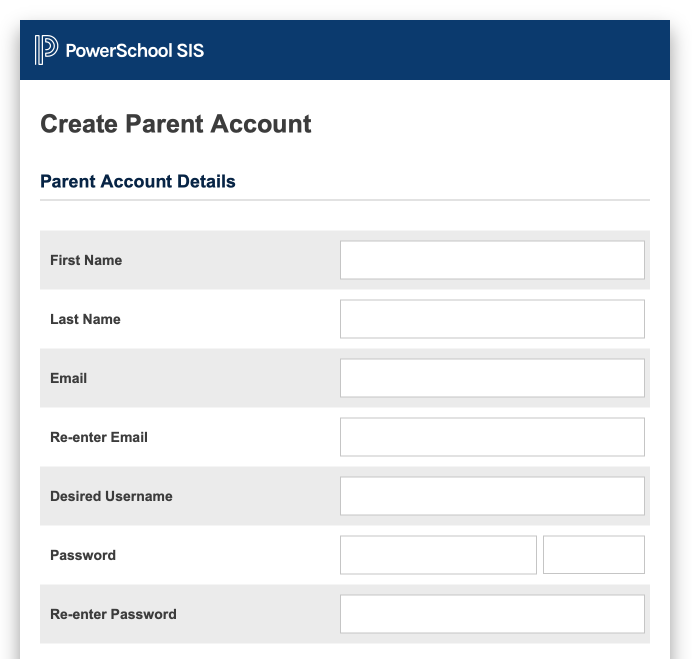
3. Enter your name and email address. Then enter your desired username and password. This will be the username and password you will use to access your account, which will allow you to view information about all students from the same family.
4. Scroll down the page and enter the account information for each of your students. The Access ID and Access Password have been provided to you by the school office. If you do not know this information, please contact the appropriate Springfield or Wauseon school office.
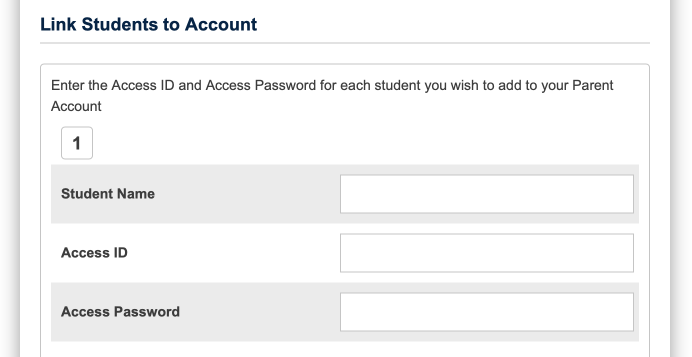
5. Once all Access ID's and Passwords have been entered, click enter at the bottom of the page.
You will now be able to use your username and password to view grades for all students in your family. Each student’s name will appear in a separate tab at the top of the grade report. You can view student information by signing into the online portal or by using the PowerSchool app on a mobile device.
If you have questions or problems creating your new parent account, please contact the appropriate school office.